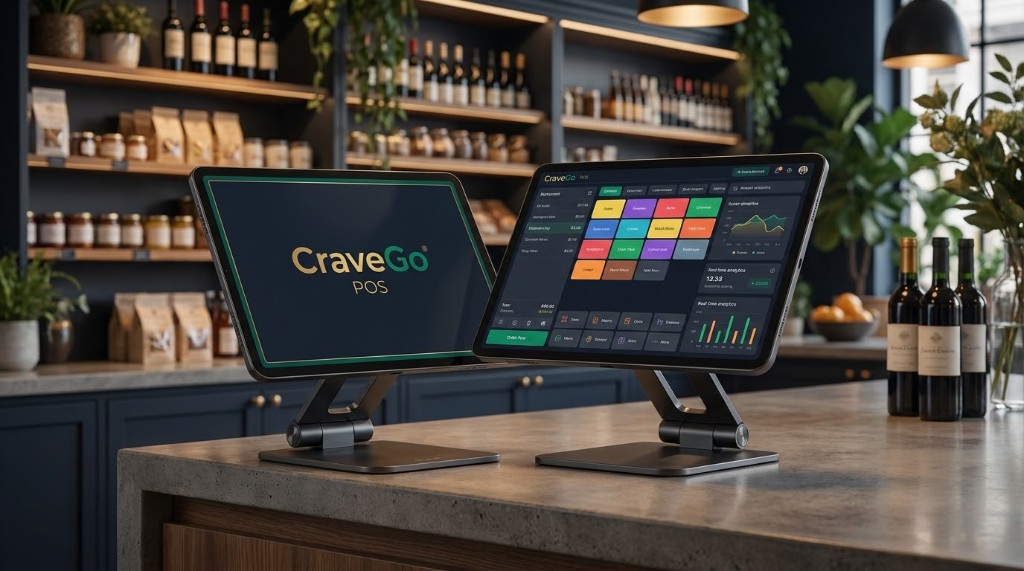
🍽️
Food Mode — Full Restaurant Menu
Categories, modifiers, sizes, item search. Complete dine-in workflow with table picker and reservation support.
Messenger’s built-in browser breaks the chat and layout. For the best experience, open this page in Chrome or Safari.
Built for Philippine Restaurants & Grocery
From taking orders to printing receipts, managing inventory to tracking payroll — everything your restaurant or grocery needs, in one powerful system.
One system handles orders, payments, kitchen, inventory, staff, and payroll — no switching between apps.
Categories, modifiers, sizes, item search. Complete dine-in workflow with table picker and reservation support.
Product catalog with camera-based barcode scanning. Perfect for grocery stores, convenience stores, and minimarts.
Lock your POS to restaurant-only or grocery-only mode from CraveGo admin. No accidental mode switching.
Handle dine-in, takeout, and more. Attach customer names, apply loyalty discounts, and manage held tickets.
Apply manual discounts per order. Attach loyalty customers for member pricing. Full flexibility at the point of sale.
Park the current cart and recall it later. Full open ticket management for busy peak hours.
Automatic 12% VAT on all applicable transactions. BIR-accredited receipt formatting out of the box.
Out-of-stock items shown on menu. Ingredient-level warnings when stock runs low. Never oversell.
58mm ESC/POS Bluetooth thermal printer support. Print receipts directly from the POS. Configurable shop name, footer, VAT info.
Reprint any receipt from order history. OR number tracking for BIR compliance. Full audit trail.
Visual grid — Available, Occupied, Reserved. Occupancy timer. Custom table labels. Open orders, clear, or reserve tables.
Past orders by date, cashier, payment method. Sync status shows pending vs. synced. Visual distinction for voided orders.
CraveGo POS switches between full restaurant ordering and grocery catalog mode. Lock it from admin so your staff always stays in the right mode.
Cash, QR codes, e-wallets — CraveGo POS handles it all with offline support so you're never stuck. International merchants can also use crypto payments.
Cash tendered with automatic change calculation. Fast and reliable for high-volume transactions.
QR image + number displayed on screen. Customers scan and pay. Works even when internet is slow.
Maya QR displayed at point of sale. Customers scan with Maya app. Instant confirmation.
Reference number entry for other e-wallets. Manual validation for non-QR payment methods.
GCash and Maya QR codes cached locally. Works even during internet outages — no lost sales.
Automatic 12% VAT calculation. BIR-accredited receipt format with OR number, tax disclaimer, and footer.
No more handwritten tickets. The Kitchen Display System shows incoming orders in real-time — auto-refreshes while the tab is open.
1x Classic Burger [no onion]
2x Fries (lg)
1x Coke
1x Sundae
2x Grilled Cheese
1x Iced Coffee
1x Salad
Back-office tools built into the same POS — synced to CraveGo cloud.
Real-time sales data, staff performance, and inventory insights — all in one dashboard.
View analytics by Today, This Week, or This Month. Switch between periods with one tap.
Detailed sales view by payment method, cashier, product category, and time of day.
Complete shift summary: opening cash, sales total, expenses, and closing balance. Ready for accounting.
Export staff DTR reports by date range. Apply present days to payroll. Print-ready for management review.
Shift & cash management for accurate drawers every day.
Log your starting cash at the beginning of each shift. Sets the baseline for your cash drawer reconciliation.
Record payouts during the shift — supplies, deliveries, or any cash out. Keeps your drawer accurate.
End-of-day report: total sales, cash payments, QR payments, expenses, and closing cash. Print or export.
Close out the day in one tap. All totals calculated, expenses deducted, ready for bank deposit.
Best value for Philippine restaurants and grocery businesses.
or ₱3,500/year (save ₱1,060!)
Get Started →Pair CraveGo POS with a handheld or counter POS device. Shop ready hardware on Lazada and Shopee — then install the CraveGo POS app from Google Play.
Affiliate store links open in a new tab. Choose a device that fits your counter or delivery workflow.
Security practices declared on the CraveGo POS Google Play listing.
Data moves over encrypted connections between your device and the cloud.
Access is limited to authenticated restaurant and grocery merchant logins.
You can request that your data be deleted through the app’s privacy process.
Get CraveGo POS for your restaurant or grocery store. Free setup assistance included.